Email security
SPF vs DKIM vs DMARC: what's the difference?
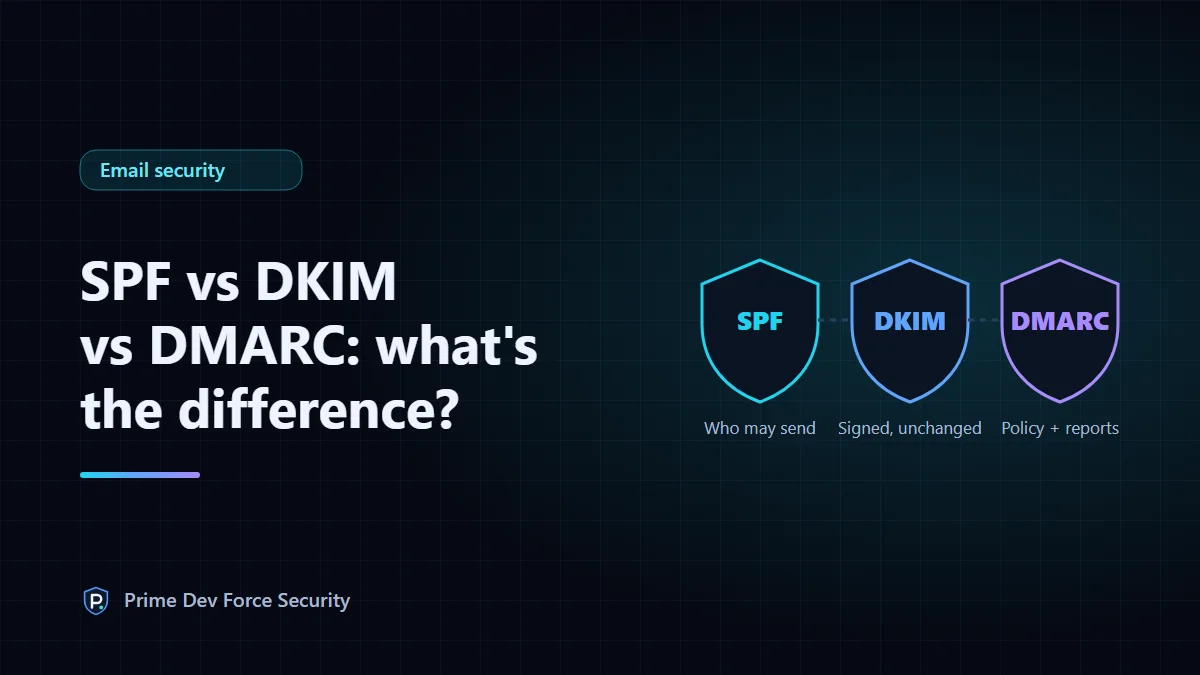
SPF lists the servers allowed to send email for your domain. DKIM adds a signature that proves a message really came from your domain and wasn't changed on the way. DMARC checks that SPF or DKIM passed for the same domain the recipient sees in the From line, tells receivers what to do when they don't (nothing, spam folder or reject), and sends you reports. You need all three: each closes a gap the others leave open.
All three are DNS records you publish once. Receiving mail servers (Gmail, Outlook, Yahoo and the rest) look them up for every message that claims to come from you. Since 2024, Google and Yahoo require them from bulk senders, so missing records now hurt deliverability as well as security.
The short comparison
| SPF | DKIM | DMARC | |
|---|---|---|---|
| Answers | Is this server allowed to send for the domain? | Was this message signed by the domain, and is it unchanged? | Does a passing SPF or DKIM result match the visible From domain? If not, what now? |
| Where it lives | TXT record on the domain | TXT record at selector._domainkey.domain | TXT record at _dmarc.domain |
| Checks | The envelope sender (Return-Path), not the From line | The d= domain in the signature | Alignment of either with the From domain |
| Survives forwarding? | Usually not | Usually, unless the message is modified | If DKIM survives |
| Standard | RFC 7208 | RFC 6376 | RFC 7489 |
SPF: who is allowed to send
An SPF record is a list of permitted senders, ending with a rule for everyone else. Here is Google's, as published on 31 October 2026:
$ nslookup -type=TXT google.com 1.1.1.1
"v=spf1 include:_spf.google.com ~all"
include: pulls in another domain's list (here, Google's own sending servers). The ending matters most:
-all: anything not listed fails.~all: anything not listed "soft-fails", which receivers treat as suspicious. Common while you're still finding every sender, and acceptable once DMARC is enforced.?all: no opinion, which protects nothing.+all: anyone may send as you. Never use it.
Two rules catch people out. A domain may have only one SPF record; with two, receivers return an error. And evaluating the record may take at most 10 DNS lookups: every include, a, mx, exists and redirect counts, including those inside the records you include. Over 10, SPF fails for all your mail. Each email service you add usually brings its own include, so this limit is easy to hit.
SPF's blind spot: it checks the envelope sender (the bounce address), which the recipient never sees. A spammer can pass SPF for their own domain while putting yours in the visible From line. That's the gap DMARC closes.
DKIM: a signature on every message
Your mail service signs each outgoing message with a private key. The signature header names a domain (d=) and a selector (s=). The receiver fetches the public key from DNS at selector._domainkey.domain and verifies the signature. If anyone altered the signed headers or body on the way, verification fails.
DKIM-Signature: v=1; a=rsa-sha256; d=example.com; s=selector1; ...You don't usually write DKIM records by hand. Your provider (Google Workspace, Microsoft 365, your newsletter tool) generates the key and tells you which record to publish. Each service that sends for you should sign with your domain, with its own selector.
Because selectors are chosen by each service, there's no way to list a domain's DKIM keys through DNS. A checker has to be told the selector. You'll find it in the s= tag of the DKIM-Signature header of an email you sent. This is why our email security check reports DKIM as "not tested", never as "missing", when you don't give a selector.
DMARC: alignment, policy and reports
DMARC is the record that makes SPF and DKIM protect the address people actually see. A message passes DMARC when SPF or DKIM passes and the domain that passed matches the From domain (by default, the same organisational domain counts as a match). The record also says what receivers should do with messages that fail. Google's:
$ nslookup -type=TXT _dmarc.google.com 1.1.1.1
"v=DMARC1; p=reject; rua=mailto:mailauth-reports@google.com"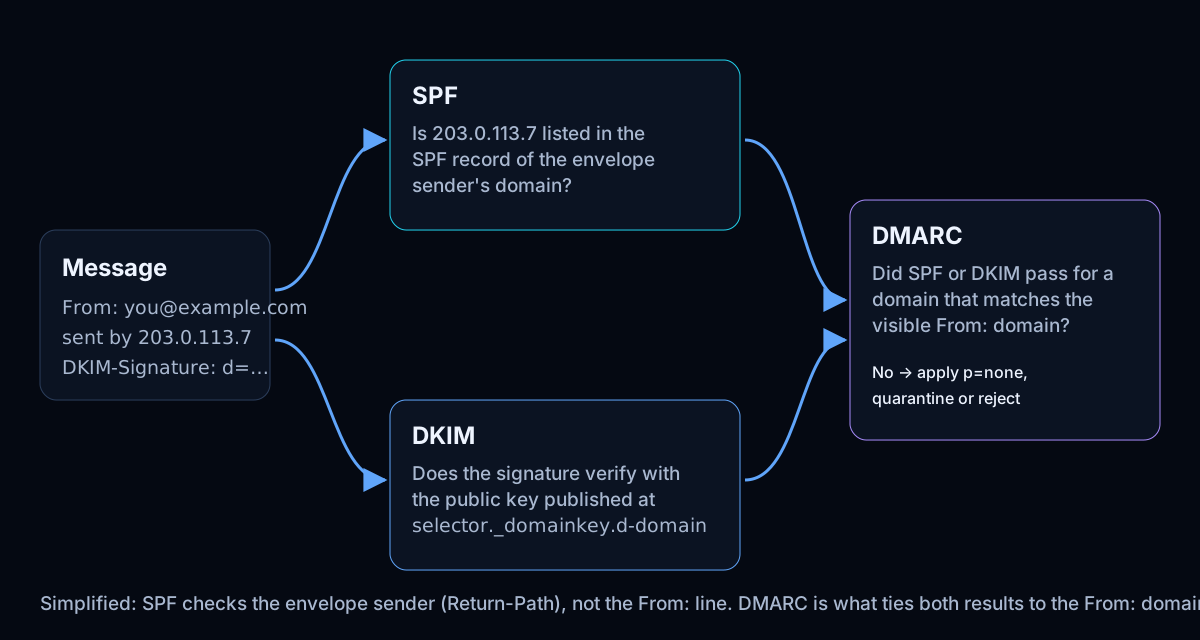
p=none: monitor only. Nothing happens to failing mail, but you receive reports. This is where everyone should start.p=quarantine: failing mail goes to spam.p=reject: failing mail is refused. Full protection against direct spoofing of your domain.rua=mailto:...: where daily aggregate reports go. They show every server that sent mail claiming to be you, and whether it passed. Without this tag you're enforcing blind.
Why you need all three
- SPF alone doesn't protect the visible From address, and breaks when mail is forwarded.
- DKIM alone proves who signed a message but doesn't stop unsigned mail that uses your domain.
- DMARC without SPF or DKIM has nothing to check, so everything fails.
Together, they let receivers reject mail that impersonates your domain while your own mail, correctly signed and sent from listed servers, is delivered.
Requirements from Gmail and Yahoo
Since February 2024, Google requires everyone who sends to Gmail accounts to have SPF or DKIM. Bulk senders (more than about 5,000 messages a day to Gmail) need SPF, DKIM and a DMARC record (p=none is enough), with the From domain aligned, plus one-click unsubscribe for marketing mail. Yahoo announced matching requirements. Check each provider's current guidelines, because the details change.
Setting them up in the right order
- List every service that sends as your domain: mailbox provider, newsletter, CRM, helpdesk, invoicing, website forms.
- Publish one SPF record that includes each of them and ends in
~allor-all. Count the lookups. - Turn on DKIM in each service and publish the records it gives you.
- Publish DMARC at
p=nonewith aruaaddress. - Read the reports for a few weeks. Fix any legitimate sender that fails.
- Move to
p=quarantine, thenp=reject.
Tightening SPF or DMARC before every sender is covered can get legitimate mail, such as invoices or password resets, rejected. Take the steps in order.
How to check your records
On any computer, nslookup -type=TXT yourdomain.com and nslookup -type=TXT _dmarc.yourdomain.com show the raw records (on macOS and Linux, dig TXT yourdomain.com +short also works). To see whether they're correct, use the free email security check. It finds duplicate records, counts SPF lookups through every include, reads your DMARC policy and reporting address, checks a DKIM key if you give the selector, and also checks MTA-STS, which protects mail sent to you.
A record check shows what you've published. It can't see whether real messages pass when they're delivered. Your DMARC reports show that.
Questions
Do I need DMARC if I only send a few emails?
Yes. DMARC protects your domain from being used by others, whether or not you send much yourself. A domain that sends no email at all should publish v=spf1 -all and v=DMARC1; p=reject so nobody can send as it.
Is ~all or -all better?
Once DMARC is at quarantine or reject, the difference is small, because DMARC decides. -all is stricter on its own; ~all is safer while you're still finding all your senders.
Why does my DMARC fail when SPF passes?
Usually alignment: SPF passed for your email service's bounce domain, not yours. Set up DKIM signing with your own domain in that service, or a custom return-path domain, so one of them aligns.