Security headers
What are HTTP security headers? A practical guide
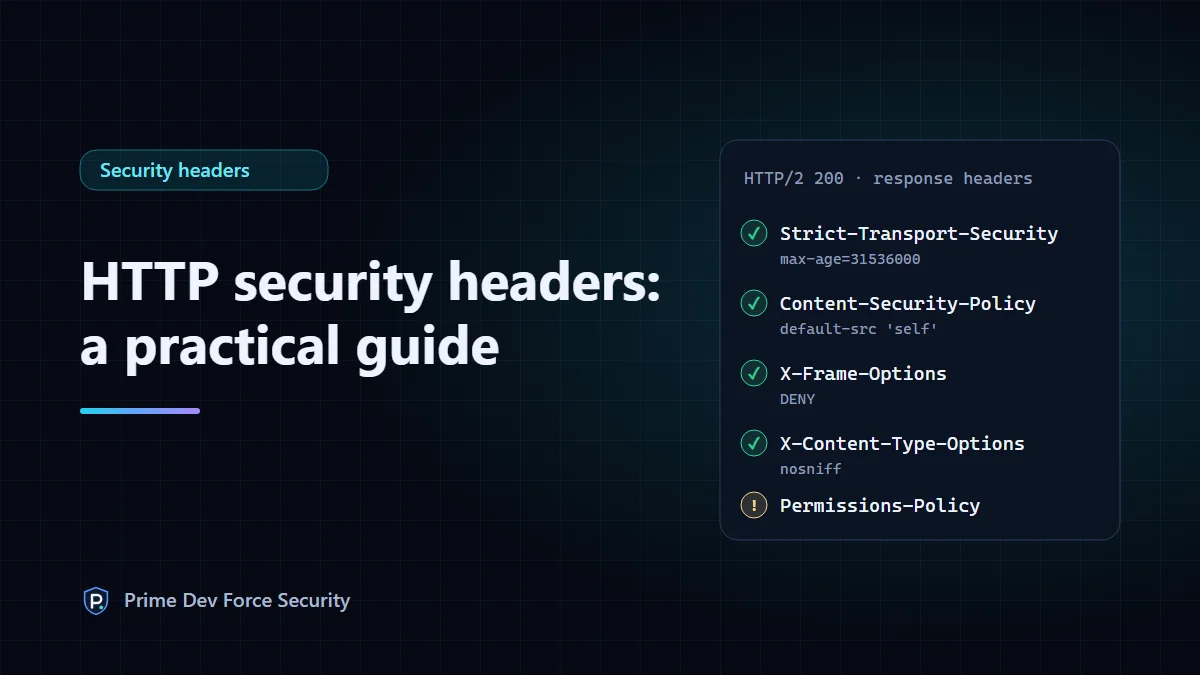
HTTP security headers are instructions your server sends with each page that tell the visitor's browser how to protect them: use HTTPS only, run only the scripts you allow, refuse to be framed by other sites, and leak less information. They cost nothing, take minutes to add, and are checked by every serious security scanner. Six of them matter for most websites.
This guide explains what each header does in plain terms, which ones to add first so nothing breaks, and how to set them on nginx, Apache and Cloudflare. The command output shown is real, taken from this website. The server configuration examples follow the nginx and Apache documentation; test them on a staging copy of your own site before going live.
How security headers work
When a browser requests a page, the server answers with a status line, a set of headers and then the HTML. Most headers describe the content (its type, length, caching). Security headers are different: they switch on protections that live inside the browser. The browser can't apply a protection your server never asked for.
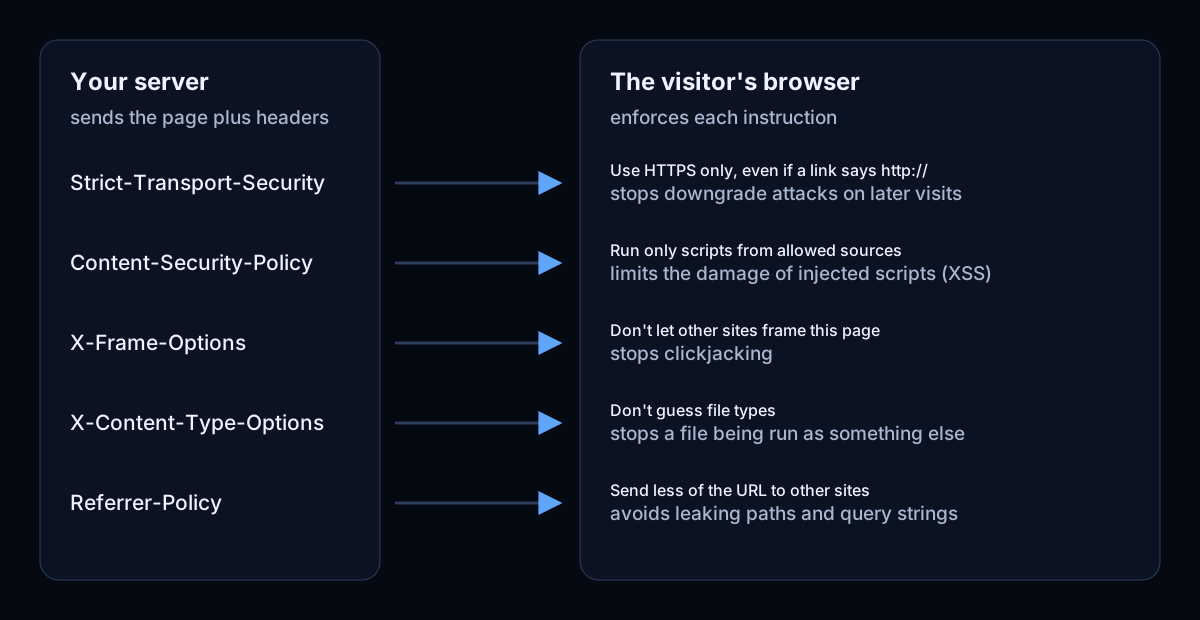
Because they act in the browser, headers protect your visitors more than your server. They don't fix a vulnerable plugin or a weak password. What they do is shrink the damage when something else goes wrong, for example when an attacker manages to inject a script into a page.
The headers that matter, and what each one does
| Header | What it does | Typical value |
|---|---|---|
Strict-Transport-Security | Makes browsers use HTTPS for your site, even if someone types or links to http:// | max-age=31536000 |
Content-Security-Policy | Lists where scripts, styles, images and frames may load from. Your main defence against injected scripts (XSS) | Site-specific; start with default-src 'self' |
X-Frame-Options or CSP frame-ancestors | Stops other sites loading your pages in a hidden frame (clickjacking) | DENY or SAMEORIGIN |
X-Content-Type-Options | Stops the browser guessing a file's type, so an uploaded text file can't be run as a script | nosniff |
Referrer-Policy | Controls how much of the current URL is sent to the next site a visitor goes to | strict-origin-when-cross-origin |
Permissions-Policy | Turns off browser features your site doesn't use, such as the camera or geolocation | camera=(), microphone=(), geolocation=() |
Strict-Transport-Security (HSTS)
A redirect from http:// to https:// only protects visitors after their first, unencrypted request has already been sent. HSTS closes that gap: once a browser has seen the header over HTTPS, it converts every later http:// request to HTTPS itself, for max-age seconds. It's defined in RFC 6797. Add includeSubDomains only when every subdomain serves HTTPS, because the browser will refuse plain HTTP on all of them.
Content-Security-Policy (CSP)
CSP is the most powerful header and the easiest to get wrong. It tells the browser which sources are allowed for each kind of resource. A policy of default-src 'self' allows only files from your own domain. A policy that includes 'unsafe-inline' for scripts allows any inline script, including an injected one, which removes most of the protection. Roll it out in report-only mode first: send the policy as Content-Security-Policy-Report-Only, fix what the browser reports, and only then switch to the enforcing header.
X-Frame-Options and frame-ancestors
Clickjacking loads your page invisibly inside another site so a visitor clicks your buttons without knowing. X-Frame-Options: DENY refuses all framing; SAMEORIGIN allows only your own pages. The CSP directive frame-ancestors does the same job with more control and takes priority in browsers that support it. Setting both is harmless and covers older browsers. The old ALLOW-FROM value is obsolete; use frame-ancestors instead.
X-Content-Type-Options
Its only valid value is nosniff. It rarely breaks anything, so it's a safe first header.
Referrer-Policy
Current browsers already default to strict-origin-when-cross-origin, which sends only your domain (not the full path) to other sites. Setting it explicitly makes the behaviour the same in every browser, and lets you choose a stricter value such as no-referrer on pages with sensitive URLs.
Permissions-Policy
If your site never uses the camera, microphone or location, say so. A script injected into your page then can't ask for them. List only features you're sure you don't use.
Headers you can drop
X-XSS-Protection controlled a filter that modern browsers have removed; the OWASP Secure Headers Project recommends not using it, or setting it to 0. Public-Key-Pins (HPKP) is obsolete and dangerous to set. Version headers such as Server: Apache/2.4.58 or X-Powered-By: PHP/8.2 aren't security headers at all: removing them hides version details from casual scanning.
Which headers to add first
X-Content-Type-Options: nosniffandReferrer-Policy. They almost never break anything.- Clickjacking protection (
X-Frame-Options: SAMEORIGIN), unless another site legitimately embeds your pages. - HSTS, once every page works over HTTPS. Start with a short
max-agesuch as300(five minutes), then raise it. Permissions-Policyfor features you don't use.- Content-Security-Policy, last, in report-only mode first.
How to add security headers
Set headers wherever your responses are produced: the web server, your hosting control panel, a CDN, or the application. A scanner sees whatever reaches the browser, wherever it was added. The examples below set the first four headers. Adjust values to your site, and test on a staging copy first.
nginx
server {
    # ...
    add_header Strict-Transport-Security "max-age=300" always;
    add_header X-Frame-Options "SAMEORIGIN" always;
    add_header X-Content-Type-Options "nosniff" always;
    add_header Referrer-Policy "strict-origin-when-cross-origin" always;
}
always adds the header to error responses too. A common trap: if a location block contains any add_header of its own, nginx drops all the add_header lines inherited from the server block for that location. Repeat them, or keep them in an included file. Run nginx -t before reloading.
Apache
<IfModule mod_headers.c>
    Header always set Strict-Transport-Security "max-age=300"
    Header always set X-Frame-Options "SAMEORIGIN"
    Header always set X-Content-Type-Options "nosniff"
    Header always set Referrer-Policy "strict-origin-when-cross-origin"
</IfModule>
This needs mod_headers enabled. It can go in the virtual host or, on shared hosting, in .htaccess. Check the syntax with apachectl configtest.
Cloudflare
HSTS has its own setting under SSL/TLS → Edge Certificates → HTTP Strict Transport Security (HSTS). For the other headers, use Rules → Transform Rules → Response Header Transform Rules (named "Modify Response Header" in some dashboards) and add a "Set static" operation per header. Headers set there are added to responses as they leave Cloudflare, so they apply even if your origin server sends none.
WordPress and other platforms
If you can't edit server configuration, your host's control panel or a CDN is usually a cleaner place than a plugin. Whichever you use, set each header in one place only: two layers sending different values make the result hard to predict.
How to test your headers
From a terminal, curl -sI shows the response headers. This is the actual output for this website on 31 October 2026:
$ curl -sI https://primedevforce.com/
strict-transport-security: max-age=31536000
content-security-policy: default-src 'self'; script-src 'self'; style-src 'self'; img-src 'self' data:; connect-src 'self'; font-src 'self'; object-src 'none'; base-uri 'none'; form-action 'self'; frame-ancestors 'none'; upgrade-insecure-requests
x-frame-options: DENY
x-content-type-options: nosniff
referrer-policy: strict-origin-when-cross-origin
permissions-policy: camera=(), microphone=(), geolocation=(), payment=(), usb=()
cross-origin-opener-policy: same-origin
(Other headers are omitted.) Check more than the homepage: login pages, error pages and anything served by a different application often send different headers. Browser developer tools (Network tab, click the request, then Response Headers) show the same information.
For a report that explains each result, use the free security headers check. It also tests whether HTTPS is enforced, flags 'unsafe-inline' and 'unsafe-eval' in a CSP, and reports cookie flags, with the exact header value as evidence for each finding.
Common mistakes
- Headers only on some responses. Missing
alwaysin nginx, or headers set in one application and not another. - A long HSTS
max-agewithincludeSubDomainsbefore every subdomain has HTTPS. Browsers will refuse to load the ones that don't, and you can't undo it untilmax-ageexpires. - A CSP that allows
'unsafe-inline'scripts. It looks protected in a scanner's "present" column but blocks very little. - Duplicate headers from the server and a CDN with different values.
- Setting CSP in a
<meta>tag only. It works for many directives, but notframe-ancestorsor reporting, and many scanners (including ours) evaluate the header only.
What a headers scan can and can't tell you
A header check confirms which protections your server asks for, and spots values that weaken them. It can't prove a policy is right for your site, find vulnerabilities in your code, or see headers on pages it didn't request. Our check reads the homepage response; verified owners on Pro also get weekly checks of up to five key pages. Treat a clean result as "these protections are switched on", not as "this site is secure".
Questions
Do security headers affect SEO?
Not directly. Google doesn't rank pages on security headers. HTTPS is a lightweight ranking signal, and HSTS helps make sure visitors always reach the HTTPS version.
Can security headers break my site?
Some can. A Content Security Policy that misses a source blocks that script or image, and HSTS with includeSubDomains breaks any subdomain without HTTPS. Add them in the order above, with short lifetimes and report-only mode first.
Should every page send the same headers?
Mostly. The HTTPS, framing and content-type headers should be on every response. CSP and Permissions-Policy can differ where a page genuinely needs something extra, such as an embedded video.