Security headers
How to fix missing HSTS and Content Security Policy headers
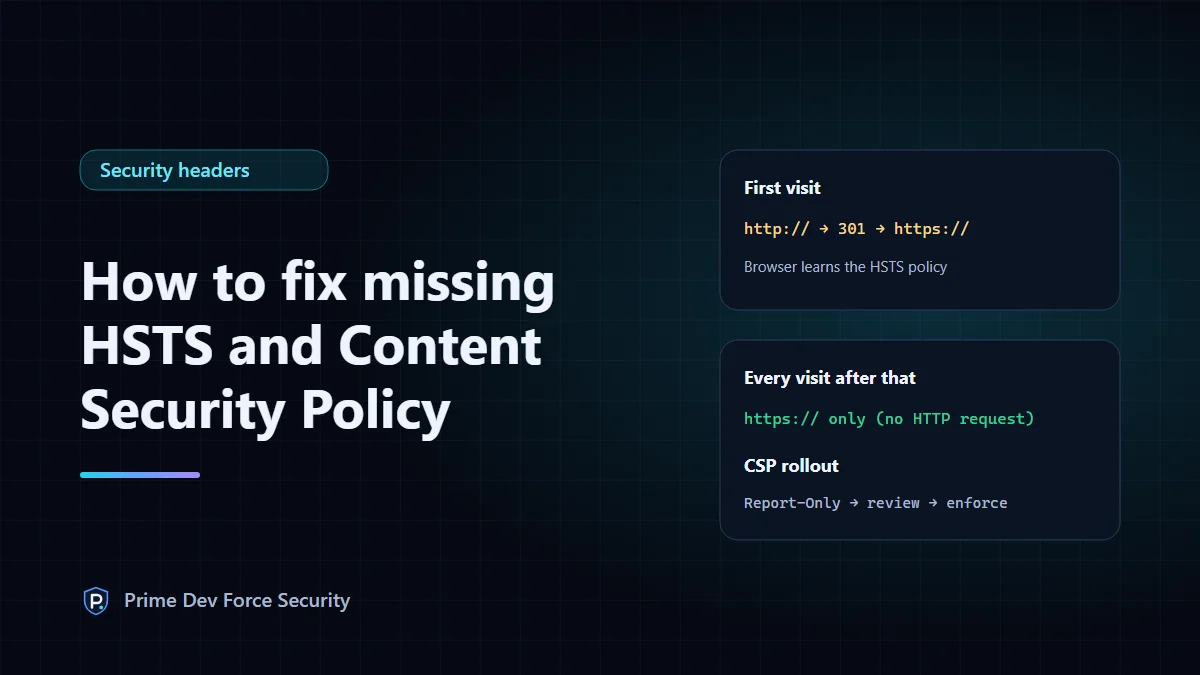
To fix a missing HSTS header, make sure every page works over HTTPS, then send Strict-Transport-Security: max-age=300 and raise the max-age in steps to one year. To fix a missing Content Security Policy, list what your pages load, send the policy as Content-Security-Policy-Report-Only, fix what it reports, then switch to the enforcing header. Done in that order, neither change breaks your site.
These are the two security headers scanners most often report as missing, and the two most likely to cause trouble if added in a hurry. If you're new to security headers, start with what each header does.
Part 1: HSTS
What it fixes
Without HSTS, a visitor who types example.com or follows an old http:// link sends their first request unencrypted. On a hostile network (public Wi-Fi, for example) that request can be intercepted and the visitor kept on a fake HTTP version of your site. Your redirect to HTTPS never gets a chance to run. With HSTS, the browser remembers to use HTTPS and never makes that request.
Before you start
- Every page, image, script and API on the hostname works over HTTPS with a valid certificate.
- HTTP redirects to HTTPS on the same hostname. (You can check both with our headers and HTTPS check.)
- You know which subdomains exist. Only add
includeSubDomainsif they all serve HTTPS, including internal ones such asmail.,intranet.or a printer interface.
Roll it out in steps
| Step | Header value | Leave it for |
|---|---|---|
| 1 | max-age=300 | A day: check nothing broke |
| 2 | max-age=604800 (1 week) | A week |
| 3 | max-age=2592000 (30 days) | A month |
| 4 | max-age=31536000 (1 year) | Permanently |
The point of the steps: browsers remember the policy for max-age seconds and there's no way to recall it early. If something breaks at step 1, visitors are affected for five minutes, not a year.
Example configurations, set on the HTTPS server only (browsers ignore HSTS sent over plain HTTP):
# nginx (inside the server block that listens on 443)
add_header Strict-Transport-Security "max-age=300" always;

# Apache (inside the :443 virtual host; needs mod_headers)
Header always set Strict-Transport-Security "max-age=300"
On Cloudflare, use SSL/TLS → Edge Certificates → HTTP Strict Transport Security (HSTS). It has separate switches for max-age, includeSubDomains and preload.
includeSubDomains and preload
includeSubDomains extends the policy to every subdomain. preload asks for your domain to be built into browsers' HSTS lists, so even the very first visit uses HTTPS. Preloading requires a max-age of at least one year, includeSubDomains, and a submission at hstspreload.org, and it's slow to undo. Treat it as a final step for domains you're sure about, not a default.
A real example: this website sends max-age=31536000 without includeSubDomains, deliberately, until every subdomain on the domain is confirmed to serve HTTPS. That's a reasonable place to stop.
Part 2: Content Security Policy
What it fixes
If an attacker manages to inject a script into one of your pages (through a vulnerable plugin, a comment form, or a compromised third-party script), the browser runs it with full access to the page. A Content Security Policy tells the browser which sources are allowed, so an injected script from anywhere else is refused. OWASP describes CSP as defence in depth: it doesn't remove the vulnerability, but it limits what it can do.
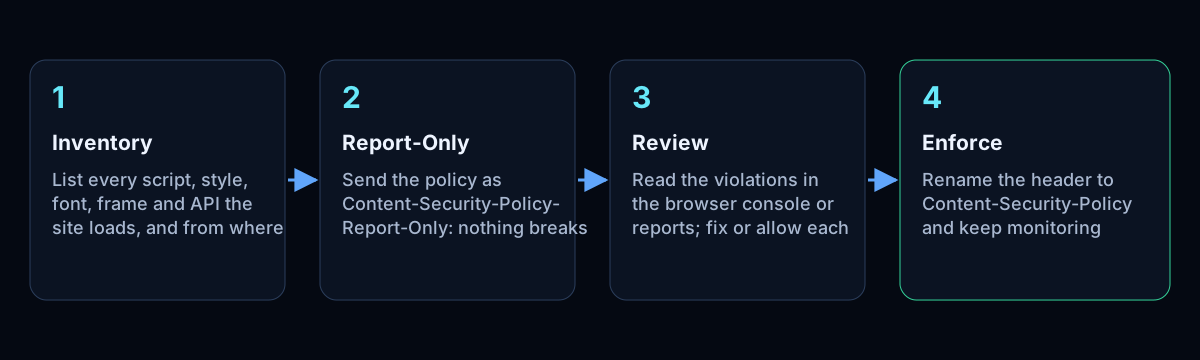
Step 1: list what your pages load
Open your main page types (home, a product or article page, checkout or contact form, login) with the browser's developer tools on the Network tab. Note every domain that scripts, styles, fonts, images, frames and API calls come from. Analytics, chat widgets, payment forms, video embeds and tag managers each add sources.
Step 2: send a report-only policy
Start from a strict base and add the sources you found. For a site that loads its own files plus an analytics script and Google Fonts, a starting point might be:
Content-Security-Policy-Report-Only: default-src 'self';
  script-src 'self' https://analytics.example.net;
  style-src 'self' https://fonts.googleapis.com;
  font-src 'self' https://fonts.gstatic.com;
  img-src 'self' data:;
  frame-ancestors 'self';
  object-src 'none';
  base-uri 'self'
(Send it as one line; it's wrapped here for reading. analytics.example.net is a placeholder.) In report-only mode the browser blocks nothing. It logs each violation in the developer console and, if you add a report-to or report-uri directive, sends a report.
Step 3: review and fix violations
Browse the site with the console open, or collect reports for a week or two. For each violation, decide:
- A source you use and trust: add it to the right directive.
- An inline script or style: move it to a file, or allow it with a nonce or hash. Avoid
'unsafe-inline'inscript-src; it allows injected inline scripts too, which defeats the point. Our headers check flags it. - Something you don't recognise: find out what it is before allowing it.
Step 4: enforce
When the reports are quiet, rename the header to Content-Security-Policy. Keep the report-only header alongside with a stricter policy if you want to test the next tightening. Re-check after adding any new tool, plugin or embed: a new source that isn't in the policy will be blocked.
For comparison, this website's own enforced policy is short because it loads nothing from other domains and has no inline scripts or styles:
content-security-policy: default-src 'self'; script-src 'self'; style-src 'self'; img-src 'self' data:; connect-src 'self'; font-src 'self'; object-src 'none'; base-uri 'none'; form-action 'self'; frame-ancestors 'none'; upgrade-insecure-requestsCheck your work
curl -sI https://yourdomain.com/ shows whether both headers are sent and with what values. Check a few page types, not only the homepage. Then run the free security headers check: it reports HSTS and its max-age, whether HTTPS is enforced, and whether your CSP contains 'unsafe-inline' or 'unsafe-eval', with the header text as evidence. It reads the homepage only and isn't a full CSP review.
Common mistakes
- Going straight to a one-year HSTS
max-agewithincludeSubDomainswhile an old subdomain still uses HTTP. - Sending HSTS on the HTTP response only (browsers ignore it there).
- Enforcing a CSP without a report-only period, so a checkout or login script is silently blocked.
- "Fixing" CSP violations by adding
'unsafe-inline'and*, which leaves a header that's present but protects little. - Forgetting that a CSP in a
<meta>tag can't setframe-ancestorsor reporting.
Questions
Why do I need HSTS if I already redirect HTTP to HTTPS?
The redirect only runs after the unencrypted request has been sent, and that request is the one an attacker can intercept. HSTS makes the browser skip it on every visit after the first. You want both.
How do I remove HSTS if something breaks?
Send max-age=0 over HTTPS. Browsers that see it forget the policy, but visitors who don't return keep the old one until it expires. That's why the rollout starts with five minutes.
Do I need a CSP if my site has no forms?
It's less urgent, but third-party scripts and plugins can still be compromised. A strict CSP limits where scripts can come from on every page, forms or not.