SSL/TLS
How to check SSL certificate validity and expiry
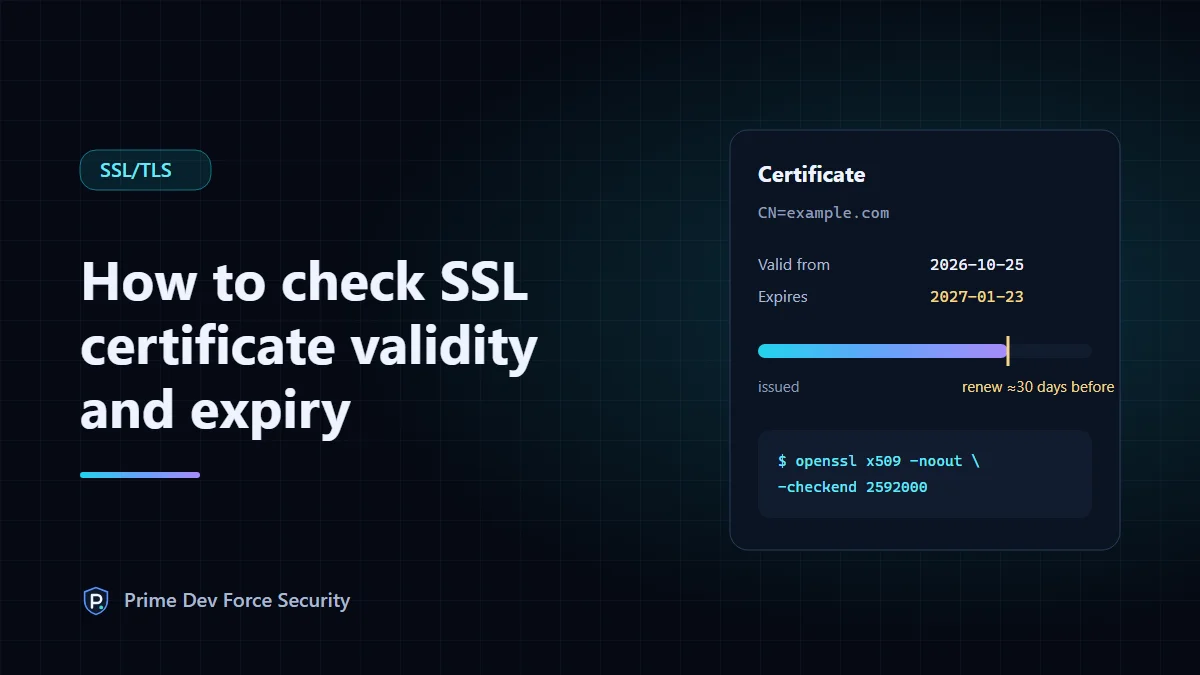
To check when a website's SSL/TLS certificate expires, click the padlock (or site settings icon) in your browser's address bar and open the certificate details, or run openssl s_client and read the notAfter date. A healthy certificate is renewed automatically about 30 days before it expires. If yours has less than 30 days left, its automatic renewal is probably failing.
An expired certificate puts a full-page warning in front of every visitor and breaks API clients and apps outright. This guide shows three ways to check validity and expiry, what to look for besides the date, and how to stop it happening unnoticed.
What "valid" means for a certificate
A browser accepts a certificate only if all of these are true:
- The dates: today is between its "valid from" (
notBefore) and "valid to" (notAfter) dates. - The name: the site's hostname is listed in the certificate's Subject Alternative Names. A wildcard such as
*.example.comcovers exactly one level:www.example.com, but notexample.comora.b.example.com. - The chain: the server sends the intermediate certificate(s) linking yours to a root the browser trusts.
- Not revoked, and signed with an algorithm the browser still accepts.
Expiry is the most common failure because it's the only one that happens on its own, with nobody changing anything.
Method 1: in your browser
- Open the site over
https://. - Click the icon to the left of the address (a padlock or a "site information" icon, depending on the browser).
- Choose the connection or certificate details. Chrome and Edge show "Connection is secure → Certificate is valid"; Firefox shows "Connection secure → More information → View Certificate"; Safari shows "Show Certificate".
- Read the validity period and the names listed under Subject Alternative Name.
This shows the certificate your browser received, from the server your network reached. Large sites can serve different certificates from different servers, so a check from one place isn't the whole picture.
Method 2: one command with OpenSSL
OpenSSL is installed on macOS and most Linux systems, and comes with Git for Windows. This prints the subject, issuer, validity dates and names. It's the actual output for this website, run on 31 October 2026:
$ echo | openssl s_client -connect primedevforce.com:443 -servername primedevforce.com 2>/dev/null \
    | openssl x509 -noout -subject -issuer -dates -ext subjectAltName
subject=CN=primedevforce.com
issuer=C=US, O=Google Trust Services, CN=WE1
notBefore=Oct 25 13:30:54 2026 GMT
notAfter=Jan 23 14:30:51 2027 GMT
X509v3 Subject Alternative Name:
    DNS:primedevforce.com, DNS:www.primedevforce.com, DNS:*.www.primedevforce.com
-servername matters: it sends the hostname (SNI) so a server hosting several sites returns the right certificate. Without it you may see a default certificate and draw the wrong conclusion.
To use it in a script or a cron job, -checkend takes a number of seconds and fails if the certificate expires within that time. 2,592,000 seconds is 30 days:
$ echo | openssl s_client -connect primedevforce.com:443 -servername primedevforce.com 2>/dev/null \
    | openssl x509 -noout -checkend 2592000
Certificate will not expire
$ echo $?
0
An exit code of 1 means "expires within 30 days". To see the chain the server sends, add -showcerts to the first command: each certificate is listed with its subject (s:) and issuer (i:), and every issuer should appear as the subject of the next one.
Method 3: an online check
The free SSL/TLS certificate check reads the certificate your server presents and reports the expiry date, the names it covers, the issuer and whether the intermediate is sent. It also checks whether the server still accepts TLS 1.0 or 1.1, which are deprecated (RFC 8996). Every result shows the certificate fields it's based on.
A limitation, stated plainly: our scanner runs on Cloudflare's network, which can't open direct TLS connections to sites that are themselves behind Cloudflare. For those, the check says "could not complete" and shows the most recent certificate in public Certificate Transparency logs instead, clearly labelled. You can search those logs yourself at crt.sh.
How long certificates last, and why it keeps getting shorter
Publicly trusted certificates have a maximum lifetime set by the CA/Browser Forum. Under ballot SC-081, that limit falls from 398 days to 200 days from 15 March 2026, 100 days from 15 March 2027, and 47 days from 15 March 2029. Many providers already issue 90-day certificates. Shorter lifetimes mean more renewals, and more chances for one to fail quietly.
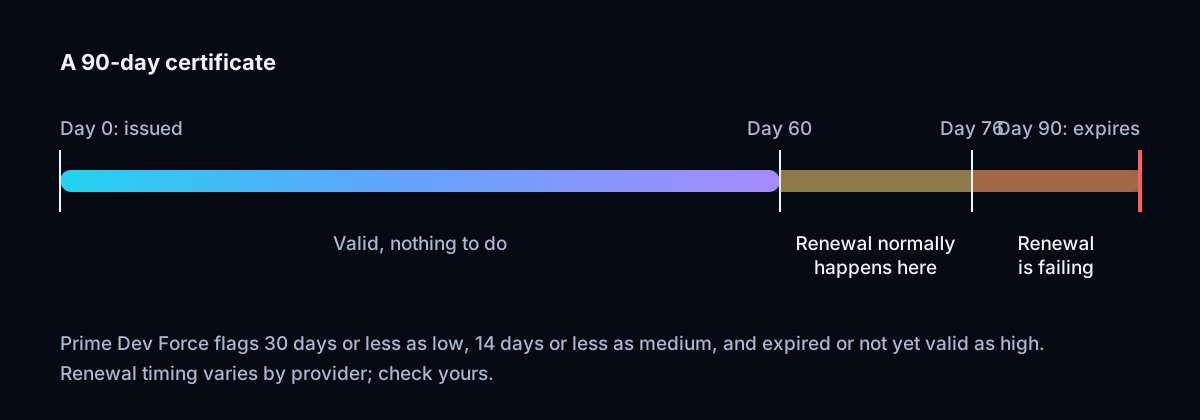
Why automatic renewal fails
"It renews automatically" is usually true, until it isn't. The common causes:
- The renewal works, but the server never reloads, so it keeps serving the old certificate from memory. Check that your ACME client (for example Certbot) has a deploy hook that reloads the web server.
- Domain validation fails: a DNS change, a new firewall rule or a redirect blocks the HTTP-01 challenge at
/.well-known/acme-challenge/, or DNS API credentials for DNS-01 have expired. - The renewal job stopped running after a server migration or an OS upgrade.
- A certificate was uploaded by hand to a load balancer or CDN, outside the automation.
- Nobody sees the warning emails. Some certificate authorities have stopped sending expiry reminders altogether, and the ones that do often send them to an address nobody reads.
If you use Certbot, sudo certbot renew --dry-run tests renewal without changing anything, and sudo certbot certificates lists each certificate's expiry.
What our check reports, and how serious it is
| Result | Severity | What to do |
|---|---|---|
| Expired, or not yet valid | High | Renew and install now; check the server clock if "not yet valid" |
| Expires within 14 days | Medium | Renewal is failing: check the renewal logs today |
| Expires within 30 days | Low | Confirm renewal is scheduled and working |
| Name not covered | High | Reissue with every hostname you serve |
| Intermediate not sent | Medium | Install the full-chain file, not the certificate alone |
| TLS 1.0 or 1.1 accepted | Medium | Set the minimum TLS version to 1.2 |
To test the last item yourself, OpenSSL 3 needs its security level lowered to even offer the old protocol: openssl s_client -connect example.com:443 -servername example.com -tls1_1 -cipher 'DEFAULT@SECLEVEL=0'. If the handshake completes and shows Protocol: TLSv1.1, the server still accepts it. On Cloudflare the setting is SSL/TLS → Edge Certificates → Minimum TLS Version.
Catch expiry before your visitors do
A manual check tells you about today. To hear about a failing renewal in time, something has to check every day and tell you when the result changes. Prime Dev Force Pro checks up to five verified domains every day: the 30-day warning appears in your dashboard, and an alert goes to Slack, Discord or a webhook when the certificate reaches its last 14 days (a medium finding). A scheduled job running the -checkend command above can warn you at whatever point you choose for a single site. Either way, aim to hear about it while a failing renewal still has days or weeks to be fixed, not hours.
Questions
What happens when an SSL certificate expires?
Browsers show a full-page warning (for example "Your connection is not private") and most visitors leave. API clients, mobile apps and payment integrations usually fail outright. Nothing is decrypted, but the site is effectively down until a new certificate is installed.
Is SSL the same as TLS?
TLS replaced SSL years ago; every SSL version is obsolete and insecure. "SSL certificate" is still the everyday name for the certificates used with TLS.
Can I check a certificate for a site I don't own?
Yes. The certificate is sent to every visitor, so checking it is the same as visiting the site. Our scanner's other checks should only be run on sites you own or have permission to check.
Sources
- CA/Browser Forum: Baseline Requirements (ballot SC-081, certificate lifetimes)
- RFC 8996: Deprecating TLS 1.0 and TLS 1.1
- OpenSSL: s_client · OpenSSL: x509
- Certbot documentation
- Cloudflare: Minimum TLS Version